Note: You can find these settings in Becard Enterprise under “Billing Accounts”.
What is a billing account?
A billing account is used to centrally manage all billing-relevant information. This includes, among other things:
- Subscriptions
- Payment methods
- Billing and company information
- Assigned licences
- Number of licences required
You can use a billing account to link subscriptions to one or more spaces and adjust the number of licences to your company's current requirements.
Multiple billing accounts are useful, for example, if different companies, locations or departments need to be billed separately.
How do I create a billing account?
- Sign in to the Becard Enterprise interface.
- Open the “Billing Accounts” section in the menu.
- Click “Create Billing Account”.
- Enter the required company and billing information.
- Check your details and create the billing account.
Fields marked with a * are required fields and must be completed in full.
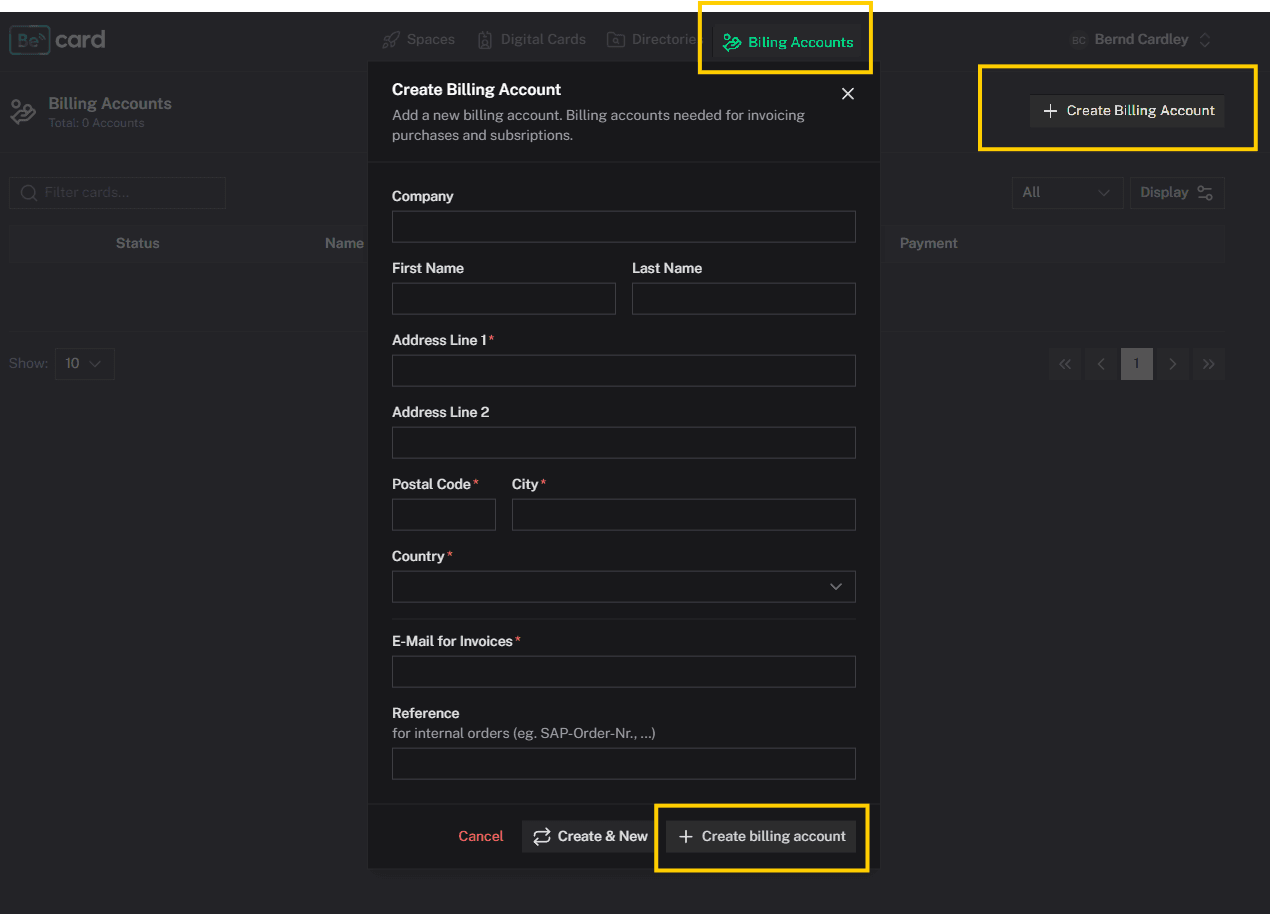
Pay particular attention to ensuring that the company name, billing address and, where applicable, VAT identification number are entered correctly. This information is used to create your invoices.
How do I add a payment method?
After creating the billing account, you must add a valid payment method.
- Open the “Billing Accounts” section.
- Select the desired billing account.
- Open the “Overview” tab.
- Click “Manage Payment Methods”.
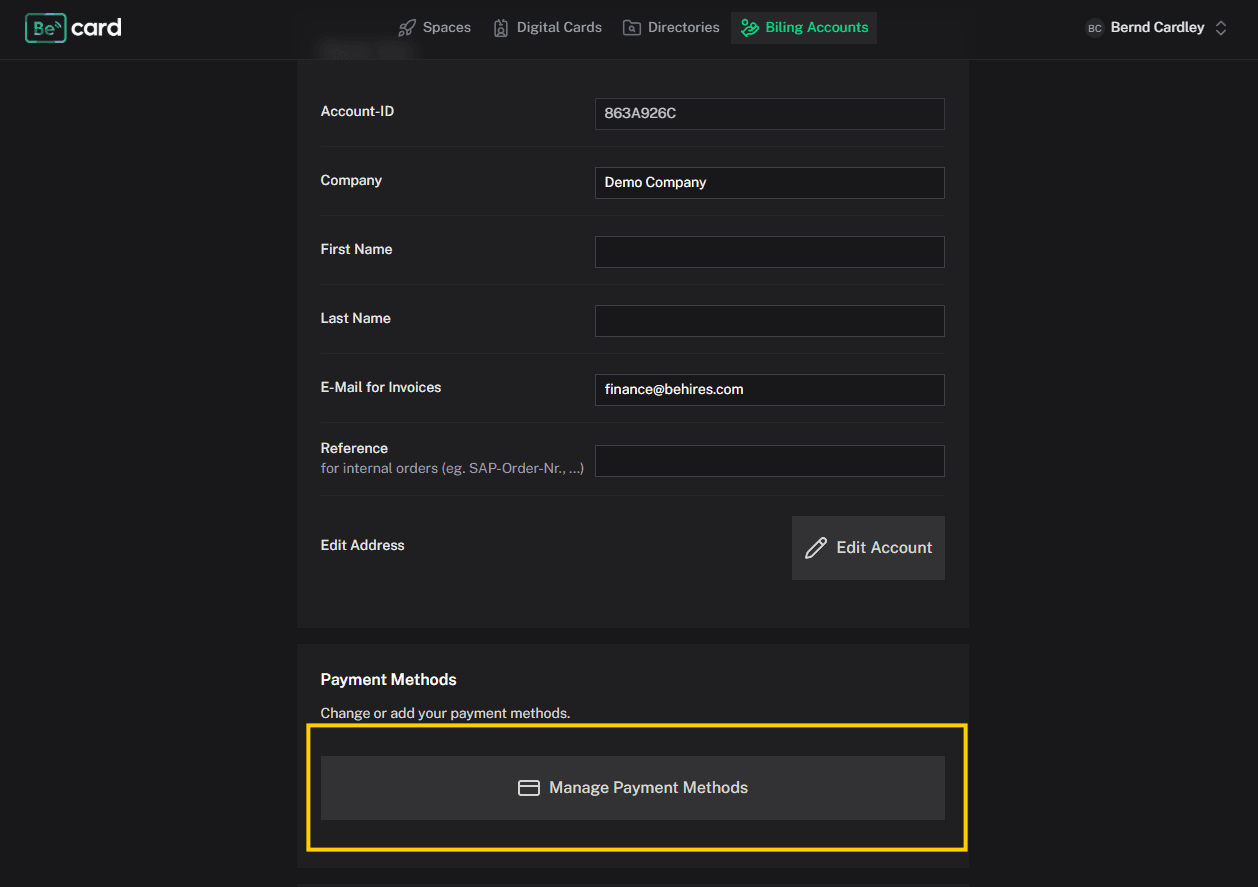
- Add the desired payment method and confirm the details.
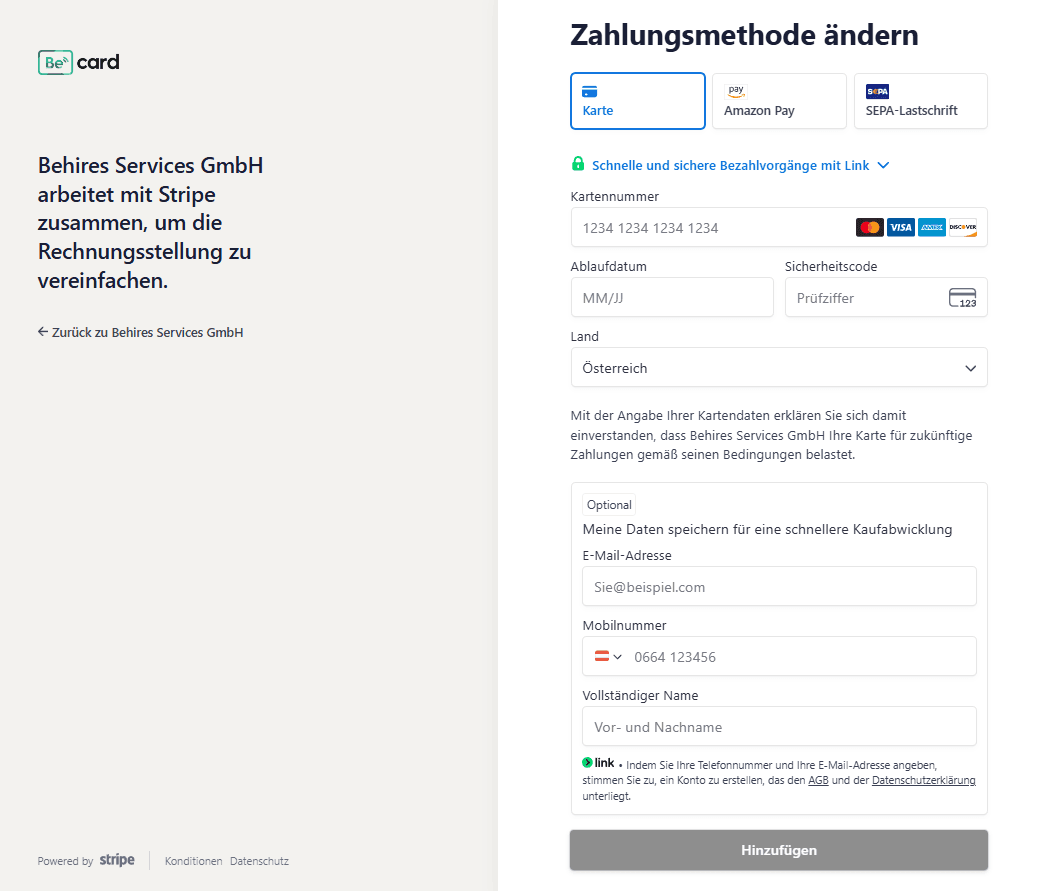
Depending on your subscription and the available payment options, you can add, for example, a credit card or a SEPA Direct Debit mandate.
Without a valid payment method, a paid subscription may not be activated or renewed.
Can I create multiple billing accounts?
Yes. You can create multiple billing accounts and distribute your licences between them flexibly.
This is particularly suitable for:
- different companies
- different company locations
- separate departments or business areas
- separate cost centres
- different billing addresses or payment methods
Each billing account has its own billing information, payment methods and assigned licences.
Is payment by invoice possible?
Payment by invoice is not available by default for every billing account.
It may be offered upon request if certain requirements are met. These may include, for example:
- a specified minimum number of licences
- a recurring monthly invoice amount above a certain level
Please contact Becard Support or your responsible contact person to have this option enabled.
Can I change my billing information later?
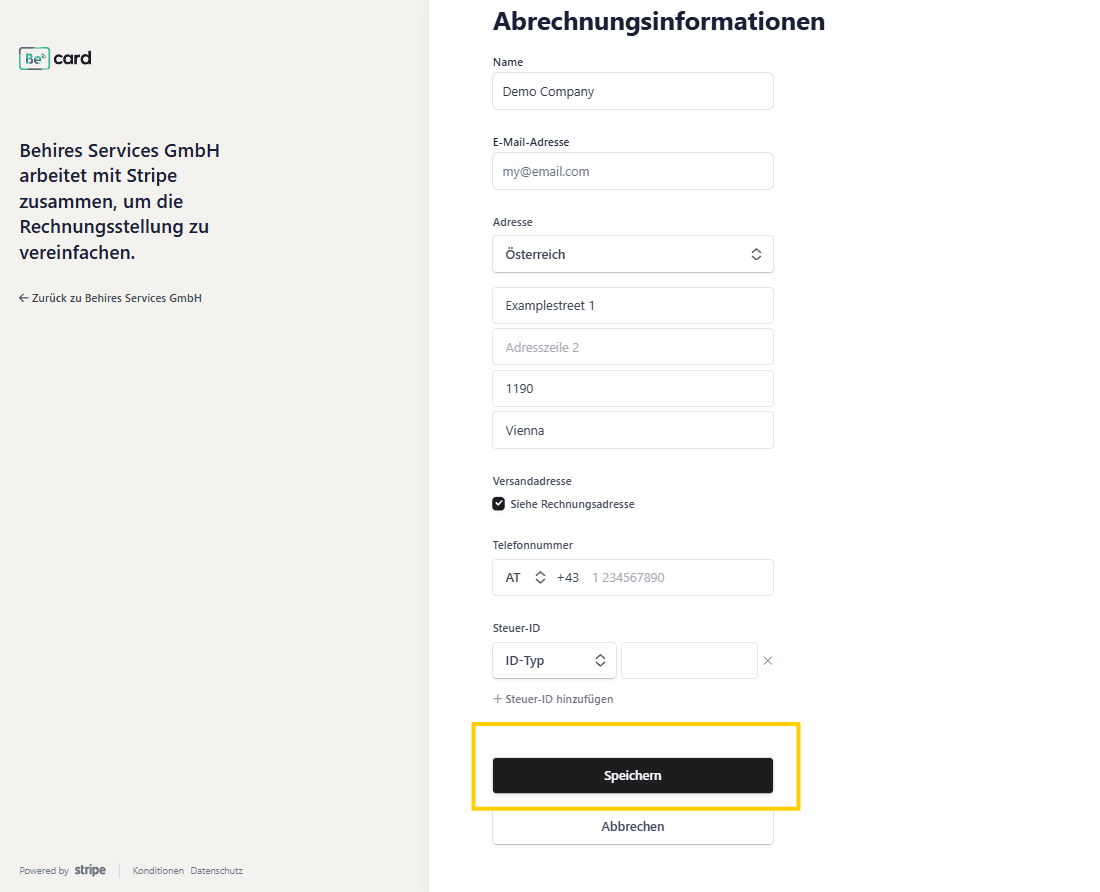
Yes. The stored billing and company information can be adjusted in the relevant billing account.
Changes generally apply to future invoices. Invoices that have already been issued are not automatically changed as a result.
You should therefore carefully check your billing information before the next billing date.
To do this, go to the desired billing account and click "Edit"
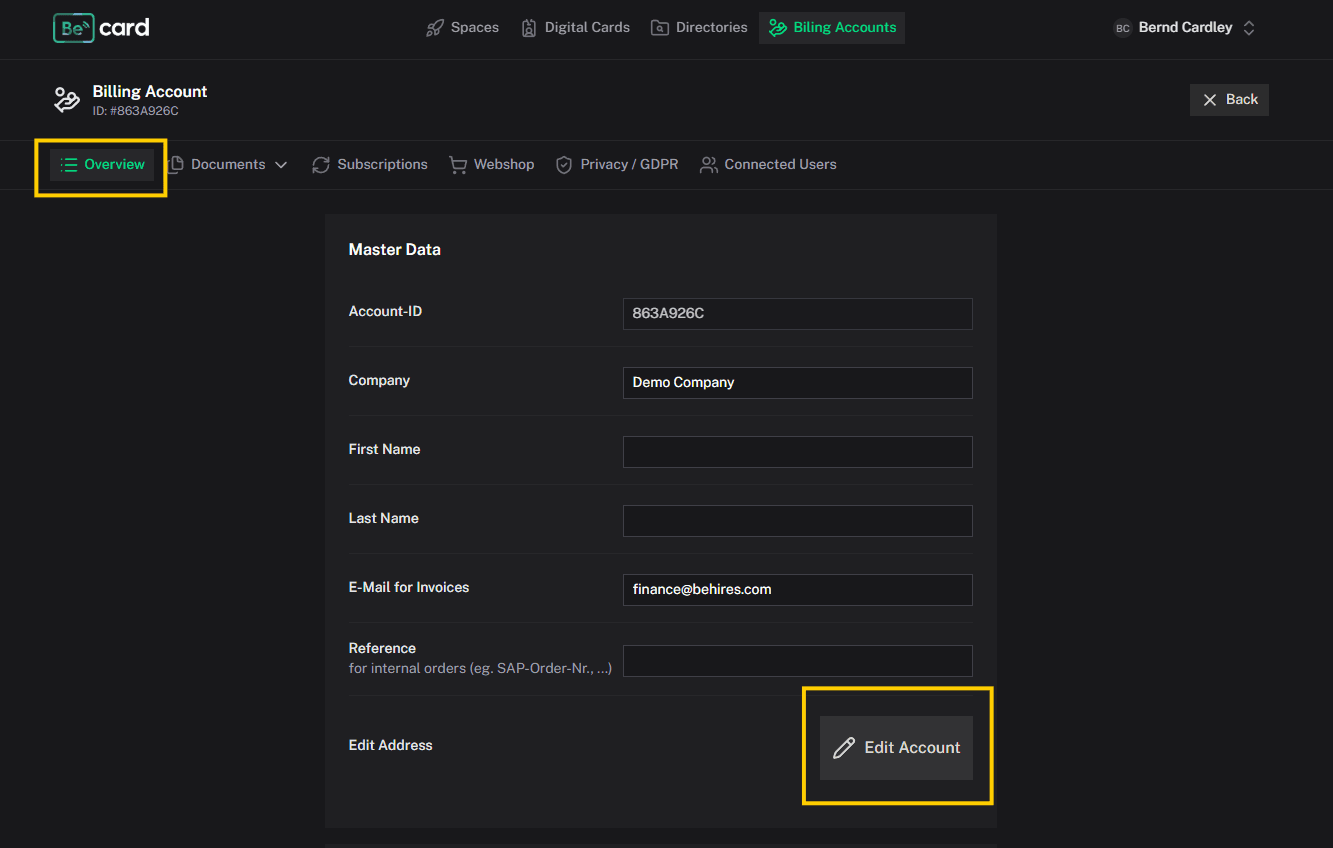
Then click "Update information"
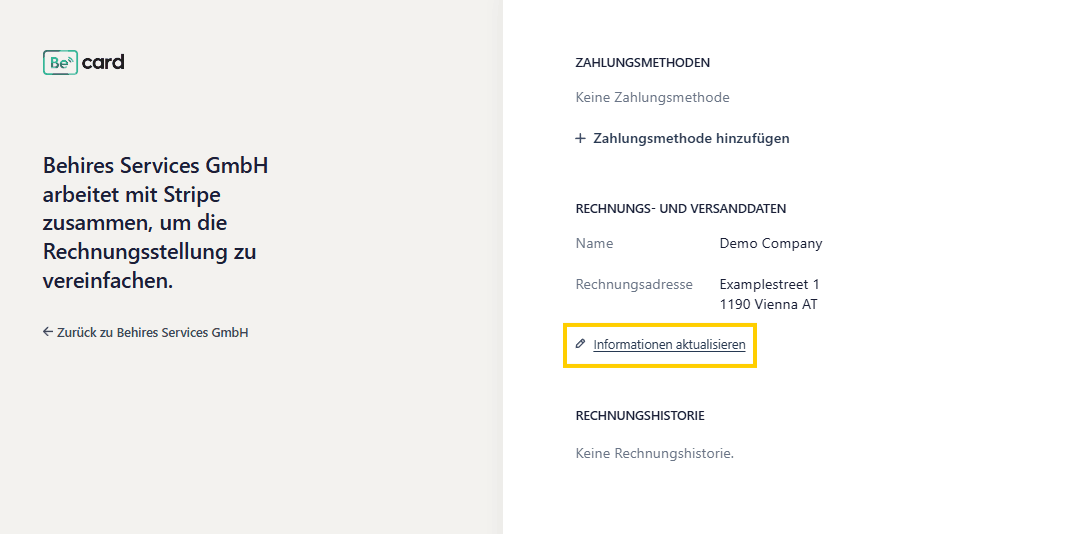
Make the necessary changes and confirm with "Save"
Where can I find my invoices?
You can access and download issued invoices in the relevant billing account.
Each successfully processed payment automatically generates a legally compliant invoice. This is then available in the customer portal for your accounting department.
Common issues
The “Create Billing Account” button is not displayed
Your user account may not have the required permissions. In this case, contact an administrator of your Becard Enterprise organisation.
The new billing information does not appear on an existing invoice
Changes to billing information are generally applied only to future invoices. Correcting invoices that have already been issued may require contacting Support.
Comments
0 comments
Article is closed for comments.