These settings can be found in the selected space in Becard Enterprise under "Settings" and "Digital Cards".
Certain fields of a digital business card can be maintained in multiple languages. These include:
- Organisation
- Department
- Position
- Description
This content can be entered individually in the languages supported by Becard:
- English (default)
- German
- French
- Spanish
Default language
English is used as the default language and is displayed if no translation has been entered for the selected language.
Requirements
An active Enterprise licence linked to the relevant space is required to use the multilingual feature.
Enable or disable multilingual support
- Log in to the Enterprise Portal.
- Select the desired space.
- Navigate to Settings -> General.
- Enable or disable the Enable Multilingual Support option.
After activation, the supported fields can be maintained and managed in the available languages.
Translations
- Go to the desired digital business card
- Then click the "translation icon"
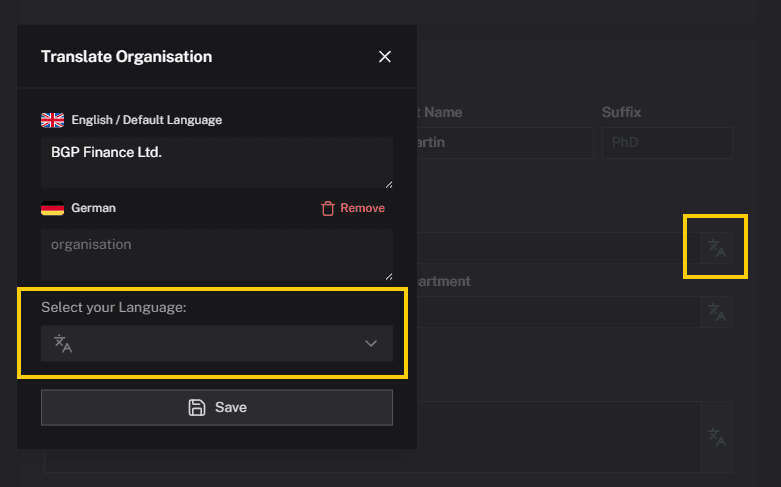
- Select the desired language and then click "Save" to save the content
Comments
0 comments
Please sign in to leave a comment.